
Best Password Manager for MacBook Pro
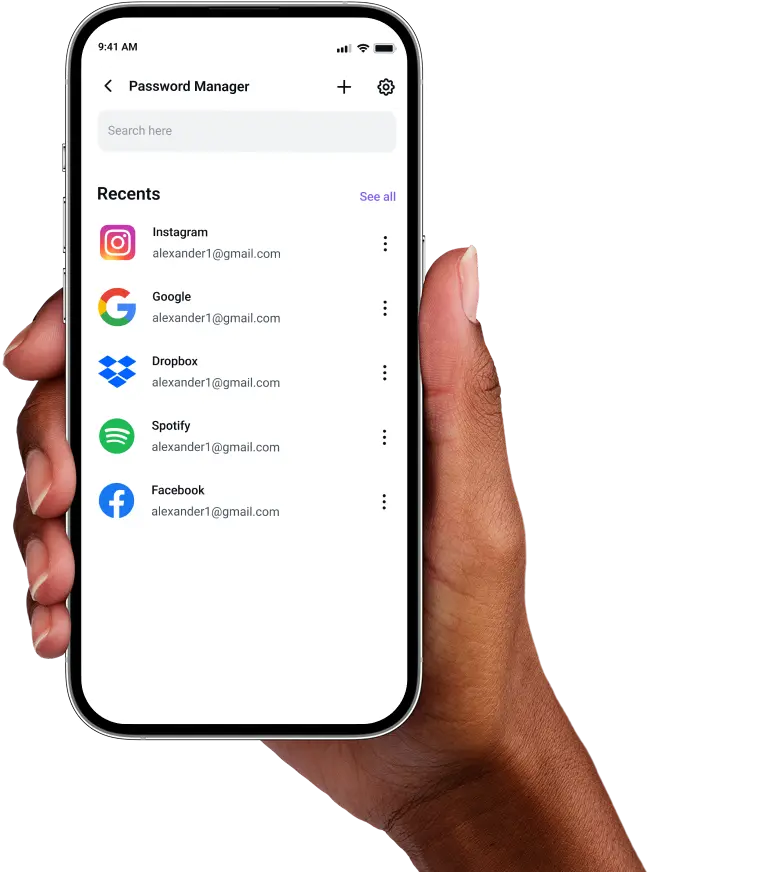
Protect your digital life on MacBook Pro with PureVPN’s Password Manager. Store credentials in an encrypted vault, autofill across browsers, and keep everything seamlessly synced across all your devices.



What is MacBook Pro Password Manager?
A MacBook Pro password manager stores your login credentials, generates complex passwords, and autofills them across Safari, Chrome, and native Mac apps. While macOS includes the Passwords app by default, many professionals and power users choose third-party managers for advanced features like secure note storage, cross-platform compatibility, and team sharing capabilities.
Why Do You Need a Password Manager on MacBook Pro?
Your MacBook Pro handles sensitive work data, personal accounts, and financial information daily. A password manager protects all of it by helping you:
Manage All Your Credentials in One Place
Between work accounts, personal logins, and client portals, you juggle countless passwords. A password manager centralizes them in one secure location, accessible through your master password.
Create Strong, Unique Passwords
Manual passwords are predictable and vulnerable. A password manager generates cryptographically secure passwords for each account, protecting you from credential stuffing and dictionary attacks.
Log in Easily and Quickly
Skip the manual typing and copy-pasting. With automatic form detection and auto-fill support, you authenticate into websites and Mac apps instantly, maintaining productivity without compromising security.
Sync Passwords Across Devices
Your passwords follow you seamlessly from MacBook Pro to iPhone, iPad, or Windows machines. Changes sync instantly, meaning you always have the right credentials regardless of which device you use.
Store More Than Just Passwords
Secure your software licenses, SSH keys, secure notes, and payment information in encrypted storage. Everything stays organized and searchable, turning your MacBook Pro into a digital safe.
What Makes PureVPN the Best Password Manager for MacBook Pro?
PureVPN’s Password Manager delivers enterprise-grade security with the simplicity Mac users expect. Here’s what sets it apart:
Auto-Fill Across Apps and Safari
Works seamlessly with compatible apps and browsers like Safari. Fill credentials on any website with a single click, or let the manager detect login fields automatically.
Cross-Device Syncing
The encrypted vault syncs across MacBook Pro, iPhone, iPad, and other devices in real-time. Add a password on your Mac, and it’s instantly available everywhere else.
Biometric Lock + Master Password Protection
Use Biometric Lock on the web to sign in with Touch ID on supported MacBook Pro models, or fall back on the master password. Both keep the vault accessible only to you.
Encrypted Notes for Sensitive Data
Store API keys, recovery codes, software licenses, and confidential documents. Everything gets the same encryption as your passwords, organized with tags and folders.
Built-In Password Generator
Generate hard-to-guess passwords with customizable complexity. Set requirements for uppercase, lowercase, numbers, and symbols to meet any website’s security policy.
Monitor Your Vault’s Health
Get notified about weak, duplicate, or aging passwords. Know when accounts need new credentials, with one-click generation making updating them effortless.
The Real Power Is in the Integration
Password managers lock away your logins. PureVPN secures how you access them, too.
Logins That Leave No Trace
Every login attempt exposes your IP address and location. PureVPN masks both, backed by our independently audited no-logs policy that ensures zero tracking.
Invisible by Design
Your password vault operates behind VPN encryption. Every autofill, every sync, every vault access travels through secure tunnels, invisible to network monitors and attackers.
One App, One Encrypted Ecosystem
Stop juggling multiple security tools. Get password management, VPN protection, and tracker blocking in one unified Mac app, eliminating security gaps between services.
Protection That Activates Instantly
Launch the app and you’re protected. Your connection is encrypted, your identity hidden, and your passwords locked with strong, multi-layer security.
How to Set Up PureVPN’s Password Manager on MacBook Pro
Start securing your credentials with these simple steps:
Step 1

Download PureVPN from the Mac App Store or our website and sign into your account.
Step 2

Click Password Manager in the sidebar and set your master password.
Step 3

Import existing passwords from your browser or add them manually while browsing.
Frequently Asked Questions
Find answers to common questions about PureVPN Password Manager here.
Does Apple have a free password manager?


Yes, macOS includes the Passwords app, which syncs logins across Apple devices. It’s free and convenient but limited to the Apple ecosystem and lacks advanced features like cross-platform support.
Why should I use a third-party password manager on my MacBook Pro?
Third-party managers provide superior organization, stronger password generation, and work across all your devices and browsers. They include features like secure document storage, password sharing, and more.
Are MacBook Pro password managers safe?
Yes, reputable password managers like PureVPN use AES-256 encryption, the same standard used by banks and governments. Combined with Touch ID authentication and zero-knowledge architecture, your data remains inaccessible to anyone but you.
What is the best MacBook Pro password manager?
The best password manager for MacBook Pro combines native Mac integration with professional features. PureVPN excels with auto-fill, encrypted storage, and seamless VPN protection in one app.