Best Password Manager for Chrome
Turn Chrome into your secure password hub with PureVPN’s built-in Password Manager. Save credentials with ease, autofill with one click, and keep your notes, documents, and other sensitive info in one secure vault.


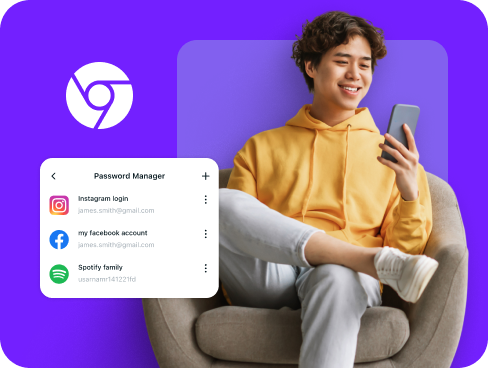
What is Chrome Password Manager?
A Chrome password manager is a browser extension or integrated tool that saves, organizes, and autofills your login credentials as you browse. While Chrome includes Google Password Manager by default, many users choose third-party solutions for stronger encryption, cross-platform syncing, and features that extend beyond Google’s ecosystem.
Why Do You Need a Password Manager on Chrome?
Chrome stores billions of passwords, but basic browser storage leaves you exposed. A dedicated password manager for Chrome fixes critical security gaps while making your browsing smoother:
Manage All Your Credentials in One Place
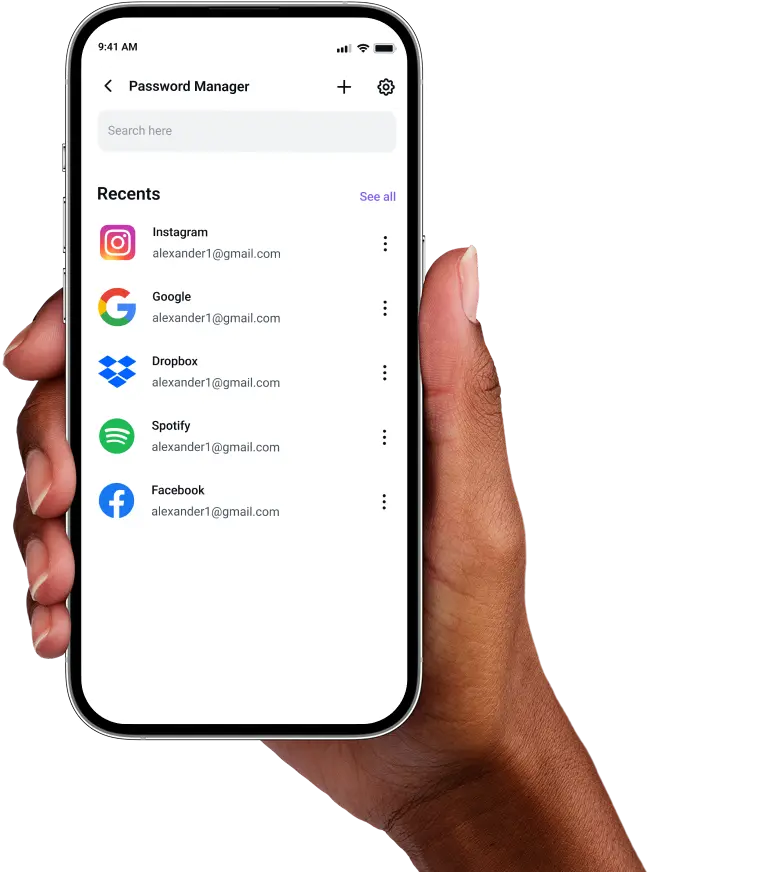
Between work accounts, streaming services, and online shopping, you probably have hundreds of logins. A password manager organizes them all in a searchable vault, so you never lose track of important credentials.
Create Strong, Unique Passwords
Using "password123" across multiple sites is like using the same key for every lock. A password manager generates complex, random passwords for each site, protecting you from credential stuffing attacks.
Log in Easily and Quickly
Stop wasting time typing passwords or clicking "forgot password" links. With automatic form detection and one-click autofill, you log into any site instantly without breaking your workflow.
Sync Passwords Across Devices
Your Chrome passwords follow you everywhere. Whether you switch to Firefox at work or Safari on your phone, your credentials stay encrypted and accessible across all browsers and devices.
Store More Than Just Passwords
Beyond logins, you can secure payment cards for faster checkout, save secure notes for recovery codes, and store network passwords, all encrypted in your Chrome-accessible vault.
What Makes PureVPN the Best Password Manager for Chrome?
PureVPN’s Password Manager transforms Chrome into a fortress for your digital identity. Here’s what sets it apart from basic browser storage:
Auto-Fill Across Apps and Safari
Logins saved in the vault can be filled directly into Chrome with a single click. No more typing passwords manually or juggling between tabs to copy and paste credentials.
Cross-Device Syncing
Start browsing in Chrome on a laptop, then pick up on your phone or tablet. The encrypted vault syncs instantly across multiple platforms, keeping every login available.
Biometric Lock + Master Password Protection
Access your vault with fingerprint or facial recognition on supported devices, or use your master password. Two layers of security mean only you can unlock your credentials.
Encrypted Notes for Sensitive Data
Save recovery codes, license keys, API tokens, or personal details as encrypted notes. Everything stays secured and easy to access from the same Chrome interface..
Built-In Password Generator
When Chrome detects a signup form, our generator suggests strong passwords instantly. Customize length and complexity, then save with one click, no memorization needed.
Monitor Your Vault’s Health
A built-in dashboard highlights weak, reused, or compromised passwords. See which accounts need immediate updates and strengthen your overall security
The Real Power Is in the Integration
Standard Chrome extensions just fill forms. PureVPN protects the entire login process from start to finish.
Logins That Leave No Trace
Every time you log in through Chrome, you leave digital fingerprints. PureVPN hides your IP and browser data, plus a no-logs policy means nothing gets recorded.
Invisible by Design
Your password requests, form submissions, and vault syncs travel through encrypted VPN tunnels. Hackers see nothing but scrambled data, even on public Wi-Fi.
One App, One Encrypted Ecosystem
No more juggling multiple security tools. PureVPN combines password management, VPN protection, and tracker blocking for complete protection without complexity.
Protection That Activates Instantly
The moment you launch Chrome with PureVPN active, every interaction happens behind military-grade encryption and your credentials stay locked away from prying eyes.
How to Set Up PureVPN’s Password Manager on Chrome
Get started with these simple steps:
Step 1

Download PureVPN or use the web app, then sign into your account.
Step 2

Go to Password Manager, and create your master password.
Step 3

Save credentials as you browse or import existing passwords, then let autofill handle the rest.
Frequently Asked Questions
Find answers to common questions about PureVPN Password Manager here.
Does Chrome have a free password manager?


Google offers Chrome’s built-in password manager for free, which saves and syncs passwords across devices signed into your Google account. However, it lacks advanced features like encrypted notes, security audits, and protection beyond Google services.
Why should I use a third-party password manager on Chrome?
Third-party password managers for Chrome provide stronger encryption, work across all browsers and platforms, and include features like password health monitoring, secure sharing, and encrypted file storage that Chrome’s basic manager cannot match.
Are Chrome password managers safe?
Yes, if you use reputable providers like PureVPN, which feature AES 256-bit encryption and zero-knowledge architecture. Your master password never leaves your device, making them safer than storing passwords in plain text or spreadsheets.
What is the best Chrome password manager?
The best Chrome password manager should be both secure and simple to use. PureVPN is a great choice, with cross-platform access, one-click autofill, and an encrypted vault that keeps your logins and sensitive information safe in one place.