
Best Password Manager for iPad Pro
Keep your iPad Pro accounts safe and accessible with PureVPN’s Password Manager. Unlock with Face ID, fill logins instantly across browsers and apps, and store passwords, notes, and payment details inside a fully encrypted vault.


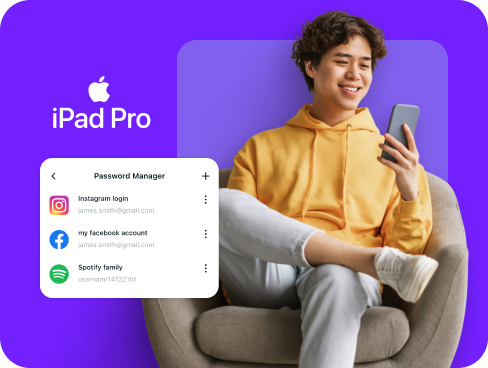
What is iPad Pro Password Manager?
An iPad Pro password manager is a security app that stores, protects, and automatically fills your login details across websites and applications. While iPadOS includes the native Passwords app that syncs through iCloud, users often choose third-party managers for enhanced security features and compatibility with non-Apple devices and platforms.
Why Do You Need a Password Manager on iPad Pro?
Your iPad Pro is built for productivity and creativity, but weak or reused passwords can compromise that convenience. A password manager strengthens your security by helping you:
Manage All Your Credentials in One Place
Between work accounts, creative platforms, and personal logins, you need dozens of passwords. Organize them all in a secure vault, so they’re easily accessible whenever you need them.
Create Strong, Unique Passwords
Using simple or duplicate passwords leaves you exposed to attacks. Generate complex, randomized passwords for every account and stay safe from hackers who target weak credentials.
Log in Easily and Quickly
Stop wasting time typing passwords on your iPad Pro’s keyboard. With autofill support, you can access any app or website in seconds, keeping your workflow smooth and uninterrupted.
Sync Passwords Across Devices
Your iPad Pro rarely works alone and is often paired with iPhones, Macs, and sometimes even PCs. Keep every new login synced across them, so you don’t lose access when you switch screens.
Store More Than Just Passwords
Security codes, Wi-Fi networks, documents, and payment details deserve the same protection as passwords. With a password manager, you can keep your digital essentials safe in one secure vault you control.
What Makes PureVPN the Best Password Manager for iPad Pro?
PureVPN’s Password Manager transforms your iPad Pro into a secure productivity powerhouse. Here’s what sets it apart for tablet users:
Auto-Fill Across Apps and Browsers
Log into apps and websites instantly using the autofill feature. No more switching between apps to copy passwords or typing them out on your keyboard.
Cross-Device Syncing
Your passwords sync seamlessly between your iPad Pro, iPhone, Mac, and other devices. Everything stays encrypted end-to-end, so your data remains private across all platforms.
Biometric Lock + Master Password Protection
Access your vault instantly with Face ID on your iPad Pro, or use your master password as a secure backup. Double-layer protection keeps your credentials safe from unauthorized access.
Encrypted Notes for Sensitive Data
Store project passwords, client credentials, API keys, and confidential notes. Everything stays secure and organized, perfect for professionals who handle sensitive information daily.
Built-In Password Generator
Generate unbreakable passwords with a single tap. When creating new accounts or updating old ones, PureVPN builds strong, unique credentials that hackers cannot crack.
Monitor Your Vault’s Health
Stay ahead of security threats with password health monitoring. Get alerts for weak, duplicate, or aging passwords, then update them before they become vulnerabilities.
The Real Power Is in the Integration
Standard password managers store your credentials. PureVPN protects the entire process of accessing them.
Logins That Leave No Trace
Every sign-in exposes small bits of data like your IP address. PureVPN hides those details, and with a strict no-logs policy, nothing about your activity is recorded or left behind.
Invisible by Design
Each vault action, whether filling a login or updating a password, travels through VPN encryption. To outsiders, the traffic is scrambled and unreadable, leaving no opening to exploit.
One App, One Encrypted Ecosystem
Instead of splitting tasks between different security tools, PureVPN combines password storage, VPN security, and tracker blocking into one secure app built for iPad Pro users.
Protection That Activates Instantly
Open PureVPN and your connection locks down immediately—traffic is encrypted and your identity stays hidden. Your vault remains protected with its own encryption.
How to Set Up PureVPN’s Password Manager on iPad Pro
Start protecting your passwords on iPad Pro in under two minutes with these simple steps:
Step 1

Download the PureVPN app from the App Store and sign into your account.
Step 2

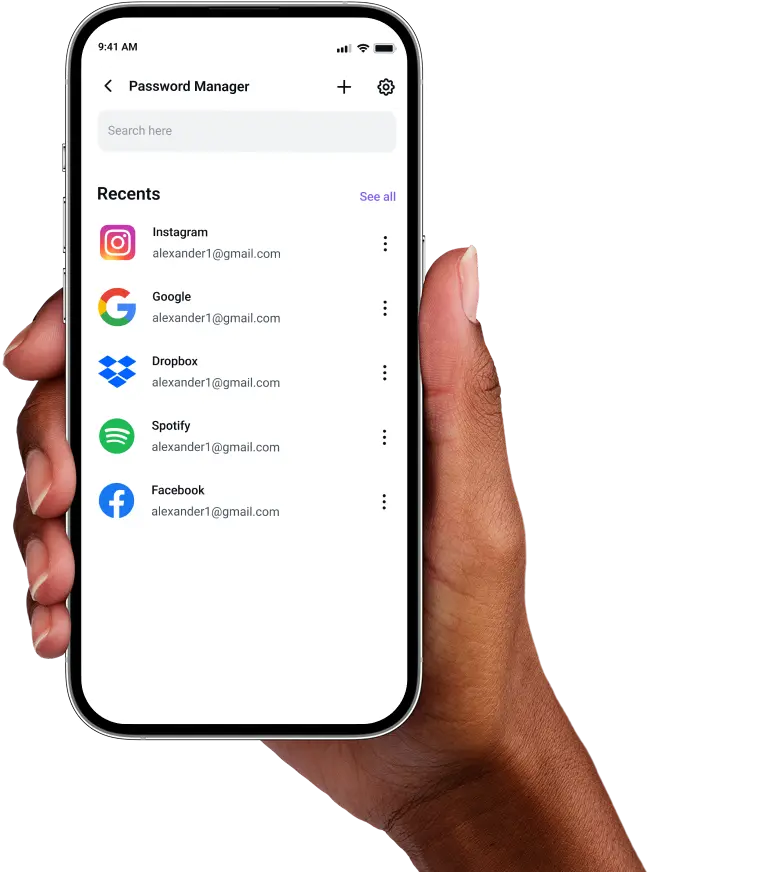
Tap Password Manager, create a secure master password and explore other features.
Step 3

Add credentials manually or import existing passwords, then generate strong replacements for weak ones.
Frequently Asked Questions
Find answers to common questions about PureVPN Password Manager here.
Does Apple have a free password manager?


Yes, iPadOS includes the Passwords app that stores and syncs credentials across Apple devices through iCloud. While convenient for basic use, it lacks advanced features and only works within the Apple ecosystem.
Why should I use a third-party password manager on my iPad Pro?
Third-party managers provide superior security features, cross-platform compatibility, and professional tools. You get stronger password generation, encrypted note storage, breach monitoring, and the ability to share credentials securely with team members.
Are iPad Pro password managers safe?
Yes, reputable password managers like PureVPN use military-grade AES 256-bit encryption, zero-knowledge architecture, and Face ID authentication. Your data stays encrypted both on your device and during sync, ensuring only you can access it.
What is the best iPad Pro password manager?
The ideal password manager for iPad Pro combines robust security with seamless usability. PureVPN excels with its integrated approach, offering encrypted password storage, Face ID access, cross-platform sync, and built-in VPN protection in one app.