
Best Password Manager for iPad
Keep your passwords safe and accessible on your iPad with PureVPN’s encrypted Password Manager. Generate hard-to-guess passwords, autofill credentials across apps, and sync everything seamlessly.


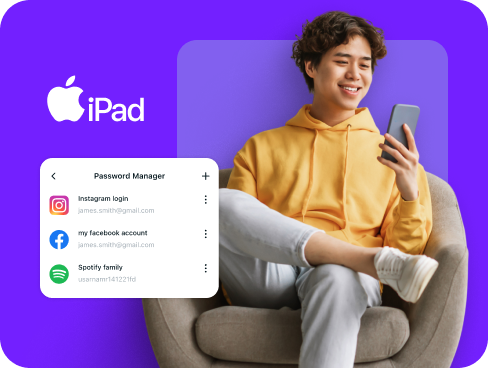
What is iPad Password Manager?
An iPad password manager stores your login credentials, creates complex passwords, and automatically fills them when you need them. While iPads come with the built-in Passwords app, many users prefer third-party options that work across different operating systems and offer more comprehensive security features.
Why Do You Need a Password Manager on iPad?
Your iPad connects you to countless online services, but managing passwords for each one creates real security challenges. A password manager on iPad addresses these issues by allowing you to:
Manage All Your Credentials in One Place
Between banking apps, streaming services, and work accounts, you probably have more passwords than you can remember. A password manager organizes them all in one secure location you can access anytime on your iPad.
Create Strong, Unique Passwords
Using simple passwords or the same password everywhere puts your accounts at risk. A password manager generates complex, random passwords for each service, protecting you from password-based attacks.
Log in Easily and Quickly
The iPad’s larger screen makes typing easier than on phones, but entering passwords manually still wastes time. With autofill and biometric authentication, you can access your accounts instantly with a tap or glance.
Sync Passwords Across Devices
Your digital life spans multiple devices. A password manager ensures your credentials follow you from iPad to laptop to phone, keeping everything synchronized and backed up automatically.
Store More Than Just Passwords
Beyond login credentials, you can securely store payment information, secure notes, and network passwords. Everything stays encrypted in your vault, accessible through your iPad whenever you need it.
What Makes PureVPN the Best Password Manager for iPad?
PureVPN’s Password Manager brings enterprise-grade security to your iPad without complicated setup or management. Here are the features that set it apart:
Auto-Fill Across Apps and Browsers
Access your saved passwords instantly in Safari and compatible iPad apps. The autofill feature works seamlessly with iPadOS, eliminating manual password entry across your favorite services.
Cross-Device Syncing
Your passwords sync automatically between your iPad, iPhone, Mac, and other devices. Changes made on one device appear everywhere else within seconds, all while maintaining end-to-end encryption.
Biometric Lock + Master Password Protection
Biometric Lock (available on Web) lets you use Touch ID or Face ID for quick access to your vault. Your master password provides a backup method, giving you flexible yet secure entry options.
Encrypted Notes for Sensitive Data
Store confidential information beyond passwords. Keep credit card numbers, software licenses, secure notes, and Wi-Fi credentials encrypted and organized within your protected vault.
Built-In Password Generator
Generate strong passwords directly on your iPad with a single tap. The password generator creates unique combinations for every account, eliminating the security risks of password reuse.
Monitor Your Vault’s Health
Stay informed about your password security status. The health checker identifies weak, duplicate, or aging passwords, helping you maintain strong security across all your accounts.
The Real Power Is in the Integration
Standard password managers protect your stored credentials. PureVPN protects how you access them on your iPad.
Logins That Leave No Trace
Every time you access an account, you leave digital footprints. PureVPN masks your IP address and follows a verified no-logs policy, ensuring your login activities remain completely private.
Invisible by Design
Your password manager operates within PureVPN’s encrypted connection. Every autofill request, every sync operation, and every vault access travels through secure tunnels that keep your activities hidden.
One App, One Encrypted Ecosystem
Managing multiple security apps creates vulnerabilities. PureVPN combines password management, VPN protection, and tracker blocking in one unified app, eliminating security gaps.
Protection That Activates Instantly
Launch the app and you are protected immediately. Your connection is secured, your identity hidden, and your passwords locked behind multiple security layers without any additional steps.
How to Set Up PureVPN’s Password Manager on iPad
Get started in three simple steps:
Step 1

Download the PureVPN iOS app and sign in to your account
Step 2

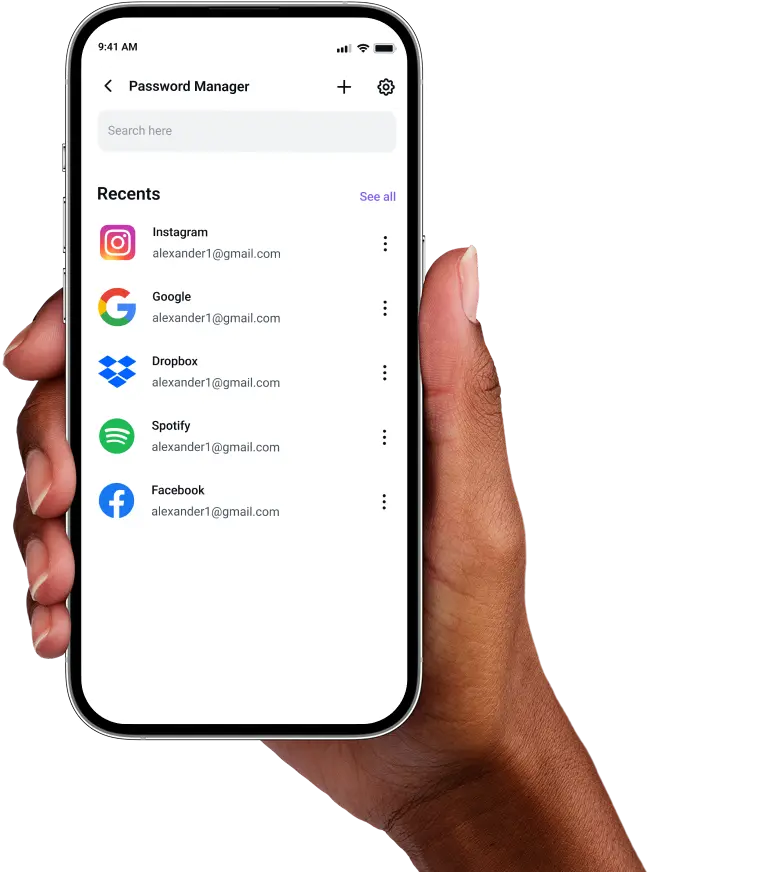
Open Password Manager from the main menu and set your master password.
Step 3

Start adding passwords manually or import existing ones, then use the generator for new accounts.,
Frequently Asked Questions
Find answers to common questions about PureVPN Password Manager here.
Does Apple have a free password manager?


Yes, Apple includes the Passwords app on iPads running iPadOS 15 or later. This free tool stores and syncs passwords across Apple devices through iCloud, though it lacks advanced features available in dedicated password managers.
Why should I use a third-party password manager on my iPad?
Third-party password managers provide features beyond Apple’s basic offering. You get password health monitoring, secure note storage, cross-platform compatibility with non-Apple devices, and advanced security options like VPN integration for complete protection.
Are iPad password managers safe?
Password managers from reputable providers like PureVPN use military-grade AES 256-bit encryption and zero-knowledge architecture. Combined with iPad’s built-in security features and biometric authentication, your data remains protected at all times.
What is the best iPad password manager?
The ideal iPad password manager combines robust security with seamless usability. PureVPN integrates password management with VPN protection, offering secure access, cross-platform sync, and autofill support in one comprehensive app.