
Best Password Manager for PC
Keep your digital life on PC protected with PureVPN’s Password Manager. From safeguarding passwords to securing private notes, everything stays encrypted and available wherever you sign in.



What is PC Password Manager?
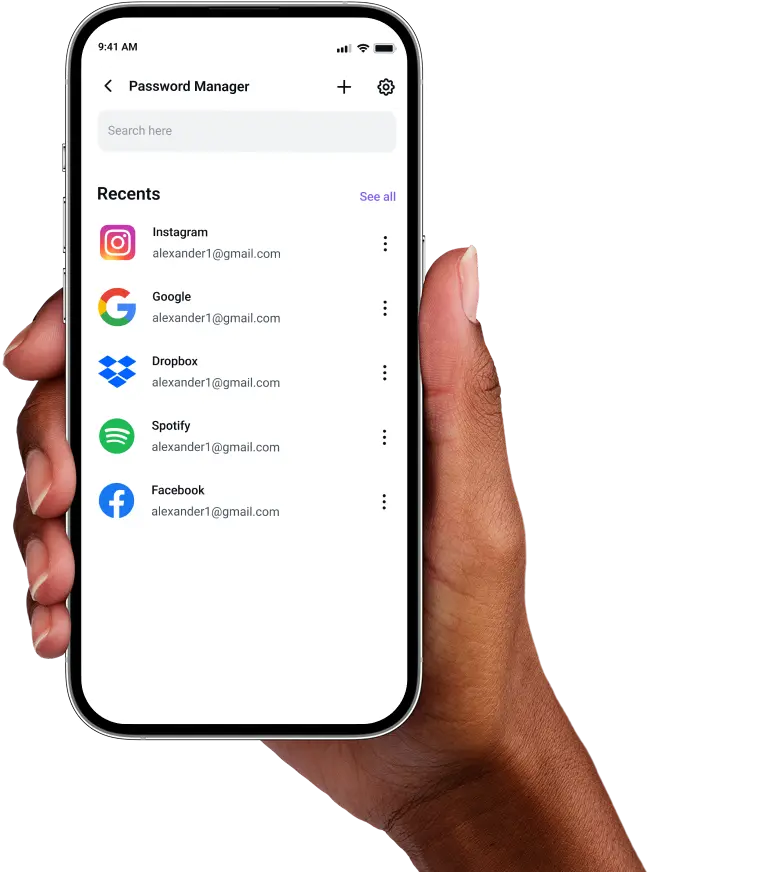
A PC password manager stores your logins in one encrypted vault. It remembers your credentials, generates stronger alternatives, and fills them in automatically across browsers and apps. Whether you’re using a Dell, HP, Lenovo, or any other PC, a password manager offers features like syncing across devices, a password health checker, and the ability to store notes and other sensitive details.
Why Do You Need a Password Manager on PC?
Your PC holds the keys to your digital life, but weak passwords leave every account exposed. A password manager for PC transforms your security by helping you:
Manage All Your Credentials in One Place
PC users often juggle dozens of logins across personal and professional use. Store them all together in one encrypted vault, so you never have to hunt through files, browsers, or memory again.
Create Strong, Unique Passwords
Easy-to-guess and reused passwords make it easier for hackers to target you. Instantly generate complex passwords for every account and close the door on brute force and dictionary attacks.
Log in Easily and Quickly
Stop wasting time typing passwords or hunting through sticky notes. With automatic form detection and autofill support, you can access any account instantly without breaking your workflow.
Sync Passwords Across Devices
Your passwords follow you from your desktop to laptop to phone. Whether you are working from home or traveling, your credentials stay encrypted and synced across every device you own.
Store More Than Just Passwords
Your PC holds more than logins. Store your Wi-Fi credentials, license keys, and private notes in the same encrypted vault and easily access them on any device whenever you need them.
What Makes PureVPN the Best Password Manager for PC?
PureVPN’s Password Manager is built for everyday PC users who want strong security without extra steps. Here’s how it stands out:
Auto-Fill Across Apps and Browsers
Forget copying and pasting long strings of characters. Autofill drops your credentials directly into login fields on compatible apps and browsers, saving you time while keeping data secure.
Cross-Device Syncing
Add a password on your desktop PC and it’s instantly synced on your laptop or mobile phone. The encrypted vault keeps everything consistent across all the devices you use daily.
Biometric Lock + Master Password Protection
Gain access to your secure vault with a master password, or speed things up with the Biometric Lock feature available through the web app. You choose the balance of speed and control.
Encrypted Notes for Sensitive Data
Not every secret is a password. Enjoy the freedom to store license keys, payment details, private notes, and documents inside the vault, all encrypted and easy to retrieve when you need them.
Built-In Password Generator
Create long, random, and difficult-to-guess passwords in just a few clicks. Replace old, reused or weak passwords with stronger alternatives that meet the toughest security requirements.
Monitor Your Vault’s Health
Weak and duplicate passwords are flagged automatically, so you know exactly which accounts need attention. Stay one step ahead of threats without having to manually check them.
The Real Power Is in the Integration
Standard password managers just store your credentials in vaults. PureVPN’s goes one step ahead and secures how you access them, too:
Logins That Leave No Trace
Each time you access an online account, your IP address and connection details can be exposed to the network. PureVPN hides those identifiers, and an audited no-logs policy ensures nothing about your activity is recorded.
Invisible by Design
Every action you take in your vault, whether it’s saving a password, syncing devices, or autofilling a form is wrapped in best-in-class VPN encryption. Outsiders can’t see it, intercept it, or tamper with it.
One App, One Encrypted Ecosystem
Stop juggling between different security tools and make your life easier with PureVPN, which combines password management, VPN protection, and tracker blocking inside a single PC app.
Protection That Activates Instantly
The moment PureVPN runs, your connection is encrypted and your identity is masked. Your vault remains locked with its own encryption at all times, giving you layered protection from the start.
How to Set Up PureVPN’s Password Manager on PC
Get started by following these simple steps:
Step 1

Download PureVPN for Windows from our website and sign in with your account credentials.
Step 2

Click Password Manager in the main dashboard, set your master password and configure your security preferences.
Step 3

Import existing passwords or add them manually, and generate long, complex passwords with ease.
Frequently Asked Questions
Find answers to common questions about PureVPN Password Manager here.
Do PCs have a free password manager?


Most PCs come with the Windows Credential Manager for basic password storage, but it lacks the security features PC users need. For comprehensive protection with password generation, health monitoring, and encrypted notes, always use a dedicated password manager like PureVPN.
Why should I use a third-party password manager on my PC?
Third-party password managers on PC offer critical advantages over built-in options. You get stronger encryption, password sharing capabilities, and synchronization across all your devices, not just Windows computers.
Are PC password managers safe?
Yes, if you stick to reputable providers like PureVPN that use AES-256 encryption and zero-knowledge architecture, your credentials and other sensitive details remain protected at all times.
What is the best PC password manager?
The best PC password manager should be secure, easy to use, and work across all your devices.. PureVPN delivers this with strong encryption, Biometric Lock through the web app, autofill support, and real-time syncing between desktop, laptop, and mobile.